
Workflow Automation: A Practical Guide to Smarter Business Processes in 2026
August 2026 12 min read  Vinny Rothberg
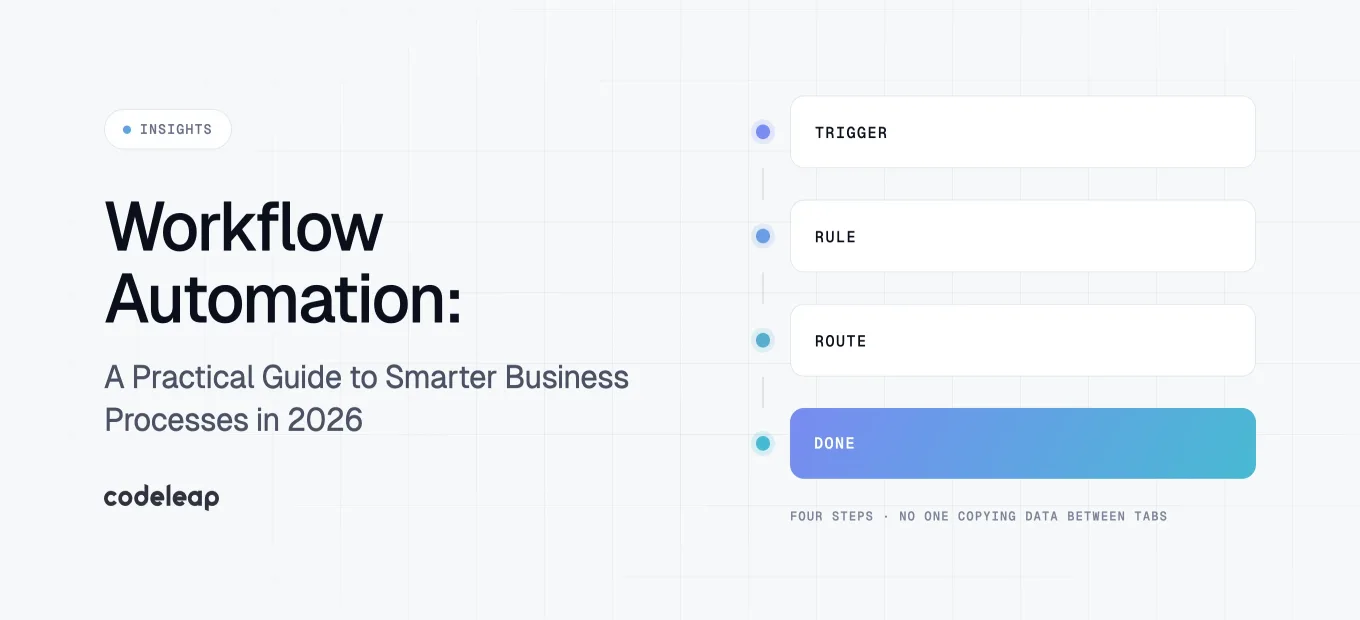
Workflow automation uses technology to automate repetitive tasks, route decisions, and move work across teams and tools without someone manually pushing every step forward. In 2026, it's no longer a competitive advantage reserved for large enterprises. It's the baseline.
Remote work norms have persisted since the pandemic, hybrid teams rely on fragmented tool stacks, and tighter budgets mean every wasted hour gets noticed. At the same time, AI has matured from experimental to operational. Businesses are combining business process automation with AI workflow automation to handle everything from invoice approvals to customer onboarding—at scale.
The numbers confirm the shift. The global workflow automation market is valued at roughly US$24.2 billion in 2026 and is projected to nearly double to US$48.8 billion by 2034. About 26.1% of U.S. employer firms have adopted AI and automation in production, and 85% of small business owners believe automation enhances competitiveness. This isn’t a “nice to have” anymore.
In this guide, you'll learn what workflow automation is, how workflow automation works in practice, the key benefits of workflow automation, practical examples of workflow automation across departments, how AI agents are changing the game, and a step-by-step playbook for implementing workflow automation at your organisation.
What Is Workflow Automation? (Core Definition + Business Context)
Workflow automation is the practice of using software and automation tools to execute repeatable steps in a business process with minimal manual intervention. It involves creating automated actions for specific steps—triggers, decisions, handoffs, approvals—so work flows through a predictable path instead of relying on someone to remember, copy-paste, or chase down the next person.
It sits inside the broader umbrella of business process automation and digital transformation. BPA tends to focus on end-to-end process redesign including change management, while workflow automation is more tactical: automating known, repeatable sequences within those larger initiatives.
Concrete business processes that benefit include invoice approvals (routed automatically based on amount), client onboarding (identity verification, account setup, welcome emails), incident escalation (alerts triaged and assigned by severity), and marketing campaign approvals (draft → legal → design → publish). Workflow automation replaces slow manual work with fast digital steps across all of these.
There's an important distinction between automating individual tasks and automating workflows. Task automation handles a single step—extracting data from a PDF, syncing a CRM field. Workflow automation chains those steps into entire processes: lead arrives → data enriched → territory checked → account executive assigned → follow-up email sent. Modern workflow automation increasingly includes AI workflow components such as classification, routing, and summarization alongside classic conditional logic.
How Workflow Automation Works (Triggers, Rules, and Actions)
Understanding how workflow automation works starts with a simple model: trigger, condition, action. Every automated workflow begins with a trigger—an event that kicks things off. A condition applies decision logic. And an action executes the step.
Here's a concrete example: when a new lead is created in the CRM (trigger), if deal size is greater than $10,000 (condition), the system notifies the sales manager in Slack, creates a task in project management tools, and sends a personalized follow-up email (actions). This entire chain fires without manual intervention.
The building blocks are straightforward:
- Triggers: form submissions, API calls, new records, scheduled times, incoming emails
- Conditions: conditional logic like thresholds, categories, or predefined criteria
- Actions: notifications, task creation, data updates, emails, escalations
- Integrations: connectors that link existing systems—CRM, ERP, helpdesk, communication tools
In 2026, many workflows start via forms, customer portals, or API calls from external services. Workflow automation connects multiple systems and handles complex logic across all of them.
Monitoring and dashboards close the loop. Automated workflows can track the progress of work and identify bottlenecks, providing real-time tracking of process status. Teams monitor SLAs, error rates, and queue sizes to continuously improve. On top of rule-based logic, AI automation adds layers like automatic data extraction from PDFs, sentiment detection in support emails, and priority scoring of incoming requests.
Key Types of Workflow Automation (From Rules to AI Agents)
There are three main types of workflow automation in practice today, and most organizations blend them based on process complexity and risk. Understanding when to use each saves time and money.
Rule-based automation uses if-then logic for predictable tasks. It's the simplest form: if a high-priority support ticket hasn't been responded to in two hours, send an escalation to the manager. It's fast to build, highly predictable, and ideal for notifications, status updates, and data syncs between tools. Static workflows follow a fixed sequence of tasks and work perfectly here. The limitation is brittleness—rule-based flows struggle when exceptions or ambiguity increase.
Integration-based automation syncs data across multiple platforms using APIs and middleware. Think of an invoicing workflow where a signed PO in your contract system triggers invoice creation in your ERP, which sets payment terms and fires a reminder through your accounting software. This is cross-app orchestration, moving data and actions across CRM, ERP, helpdesk, and communication tools. It's broader than simple rules and essential when business systems span multiple departments.
AI-powered automation autonomously analyzes and acts on data using machine learning, natural language processing, and large language models. An AI workflow agent can triage customer support emails by urgency, summarize contracts and flag risky clauses, or auto-draft outreach after a demo booking. A 2025 case study showed a mid-sized hospital using AI-orchestrated workflow automation for clinical documentation, achieving roughly $3.2 million in revenue enhancement and $2.7 million in adverse event prevention savings. Dynamic workflows adapt based on real-time conditions, making this type ideal for unstructured inputs and judgment-heavy decisions.
Top Benefits of Workflow Automation for Modern Businesses
The benefits of workflow automation compound over time. Here are the ones that move the needle most.
Cost savings and reduced overhead. Organizations can save an average of 20% on operational costs through automation. Workflow automation lowers operational overhead by optimizing resources—fewer hours spent on manual tasks, fewer errors requiring rework, and faster cycle times that improve cash flow.
Reduced human error. Automated workflows minimize human error, ensuring consistent task execution. When routing, approvals, and data entry follow enforced rules rather than memory, mistakes like misfiled documents, missed approvals, and duplicate records drop significantly.
Speed and scalability. Automating tasks can reduce processing time by 75%. Workflow automation can make processes scalable as business grows, letting volume double without equivalent headcount increases. Workflow automation allows businesses to scale without increasing headcount.
Better compliance. Automated audit trails, enforced approval hierarchies, and built-in SLAs make compliance tracking far more reliable. Every action is logged with timestamps and decision paths.
Improved employee experience. According to OpenAI's enterprise AI report, workers using AI-enhanced automated processes report saving 40–60 minutes per day and completing analysis and tasks they previously couldn't handle. Automating repetitive tasks frees team members for strategic work—customer relationships, product innovation, data analysis—and drives business forward.
Workflow automation accelerates response times and improves customer retention. It can improve customer service by speeding up responses, which directly boosts customer satisfaction. Adding AI workflow automation capabilities amplifies all of these by tackling previously “unautomatable” knowledge work like classification, drafting responses, and summarization.
Detailed Look at Cost Savings and ROI
Cost savings from workflow automation come from three levers: labor reduction, error and late-cost reduction, and faster cycle times that improve revenue capture.
A mid-size e-commerce brand that automates order confirmations, refunds, and inventory updates can save 15–20 hours per week in manual effort across operations. An insurance agency that modernized with shared services and automation saved USD $13 million while boosting decision speed by 15–30%. A small accounting firm that automated payroll workflows saw annual savings of roughly $8,372 on that single process.
Calculating ROI means measuring a baseline: hours spent manually on the process, cost per hour, error rate and cost of errors, and volume of transactions per period. Then estimate the cost of the workflow automation platform (tooling, build, maintenance) against the benefits—hours saved multiplied by cost per hour, error costs avoided, and faster payments or revenue uplift.
AI-powered automations typically carry a higher upfront design cost—training models, labeling data, integrating services, establishing guardrails. But they often generate outsized ROI on judgment-heavy, high-volume work like triaging leads, summarizing compliance audits, or extracting unstructured data where manual labor is expensive and mistakes are costly.
Track concrete performance metrics—turnaround time, error rates, cost per transaction—before and after implementation. Without a baseline, you can't prove the value.
Examples of Workflow Automation by Department
Workflow automation examples span every function. Here's how multiple departments apply it in practice.
Project management. Project managers can automate project status reporting for visibility—automated task creation from project intake forms, status digests every Friday at 16:00, and risk flags when tasks slip past deadlines. Product managers can automate feedback collection and analysis, pulling survey results into dashboards without manual consolidation.
Sales. Automated lead enrichment pulls data from third-party sources the moment a lead enters the CRM. Routing workflows assign leads based on territory or deal size using predefined criteria. Follow-up email sequences fire after demo bookings, and pipeline hygiene reminders flag stale opportunities. These marketing workflows and sales automations work together to connect processes across revenue teams.
Marketing. Marketing teams can automate email marketing project tasks in Jira, run nurture email sequences triggered by behavior (page visits, email opens), and build content production pipelines from brief → draft → review → publish. AI-based tagging classifies content assets by topic and audience without manual sorting.
Human resources. HR teams can automate employee onboarding processes for efficiency—IT access provisioning, paperwork generation, mandatory training scheduling. Offboarding workflows disable access, trigger exit interviews, and track equipment returns. Recurring compliance training reminders with compliance tracking ensure nothing slips.
IT operations and DevOps. Incident escalation workflows in tools like Jira or ServiceNow auto-triage alerts, route to the right engineering team, and notify stakeholders. Engineering leads can automate code review processes for efficiency. Post-incident review action items are automatically created and assigned.
Finance and e-commerce. Invoice processing workflows handle data entry extraction, PO validation, approval routing, and payment execution. Payment reminders chase overdue invoices. Fraud-check workflows apply risk scoring, and automatic stock-reorder triggers fire when inventory drops below defined thresholds.
How AI Workflow Automation and AI Agents Change the Game
The shift from static, rule-based automated workflows to adaptive processes powered by artificial intelligence is the defining change in workflow automation for 2026. Instead of only following rigid paths, AI workflow automation interprets context, handles ambiguity, and makes routing decisions that previously required a human.
AI agents are semi-autonomous software components that can interpret unstructured inputs—emails, PDFs, chat logs—extract intent and entities, and route tasks or respond automatically. In practical examples, this looks like:
- An AI agent classifying customer tickets by urgency and routing them to the right team
- Summarizing meeting transcripts and pushing action items into a task board
- Auto-drafting first responses to inbound leads based on their inquiry
- Reviewing contracts for risky clauses using natural language processing and flagging them for legal review
Reliability matters. Predictive analytics and machine learning models can misclassify, hallucinate, or introduce bias. Grounding AI agents on real internal data, setting guardrails, and keeping humans in the loop for high-risk decisions are non-negotiable. Minimizing errors in AI-driven processes requires the same rigor as any other automation—error logs, traceability, and regular audits.
The most competitive organizations in 2026 aren't replacing all rules with AI. They're blending rule-based workflow automation with AI decision points—using conditional logic for safe, predictable paths and AI components for classification, exception handling, and summarization where flexibility matters.
How to Identify the Right Business Processes to Automate
Not every process deserves automation. Good candidates share specific characteristics: high volume, frequent repetition, clear rules or decision criteria, measurable outcomes, and visible bottlenecks or pain points. Recurring tasks and time consuming tasks that eat into skilled workers' hours are prime targets.
Specific examples include weekly report consolidation, multi-step approval chains, lead qualification, client onboarding requests, and support triage. Look for processes where handoffs between team members are frequent or where manual misrouting leads to errors.
Map out each process before implementing automation. Use swimlane diagrams to capture roles, systems, sequences, decision points, exceptions, and handoffs. This current-state mapping reveals where time is wasted, where handoffs fail, and where human error recurs.
Balance quick wins with strategic complex workflows. Quick wins—simple notifications, reminders, data syncs—deliver early ROI and build momentum. Strategic workflows like quote-to-cash, case management, or internal workflows spanning multiple departments deliver larger impact but require more investment.
For compliance-heavy processes in finance, human resources, or healthcare, pay extra attention to audit logs, approval hierarchies, and data integrity when automated. These aren't areas where you can move fast and break things.
Step-by-Step Guide: How to Automate Workflows in Practice
Here's a practical playbook for implementing workflow automation, whether you're using a drag and drop interface, building custom workflows with code, or hiring someone to do it for you.
Step 1 – Document the process. Detail every action, decision point, system, and role. Capture exceptions, escalation paths, and edge cases. Interview the team members who actually perform each step—they know where the friction is.
Step 2 – Define business rules and SLAs. Specify what triggers decisions: “if invoice > $5,000, require two approvals.” Set SLAs like “Tier-1 support tickets responded to within 2 hours” or “contract review completed within 5 business days.” Without clear rules, you can’t create automated workflows that work reliably.
Step 3 – Select automation tools. Choose between no-code workflow automation tools, low-code platforms, robotic process automation, or AI workflow automation platforms based on your team's technical resources and the process complexity. You don't need extensive coding knowledge for most modern platforms—many let you customize workflows visually. Evaluate how well the automation tool integrates with your business systems.
Step 4 – Design the workflow. Convert your process map into a visual flow in your chosen workflow automation software. Specify triggers, conditions, and actions. If including AI, define what it handles—classification, summarization, routing. Plan human-in-the-loop steps for high-risk decisions where manual intervention remains necessary.
Step 5 – Test in a sandbox or pilot. Test and adjust automation thoroughly to ensure accuracy. Run with a subset of users or a limited region for 2–4 weeks. Collect error logs and user feedback. Measure performance against your baseline metrics.
Step 6 – Roll out and train. Document the new process with SOPs, short video walkthroughs, and live training sessions. Streamlining processes only works if people understand and trust the new workflow. Replacing manual tasks with automated ones requires change management, not just technology.
Step 7 – Monitor and refine. Continuously monitor and optimize automated workflows for efficiency. Review metrics monthly in the first quarter, adjusting rules, thresholds, and AI prompts as needed. Incorporate user feedback to improve usability and catch edge cases.
Governance, Security, and Compliance in Workflow Automation
Without governance, automated processes can create silent failures, data leaks, or non-compliant actions. This is especially true when automation crosses system boundaries or uses third-party AI services.
Key governance practices include:
- Access controls and permissions. Role-based permissions determine who can create, edit, and deploy workflows. Limit who can alter decision logic or AI agents. Robust security measures here prevent unauthorized changes.
- Audit trails. Every automated action should be logged with date, time, identity, input data, and decision path. This is essential for regulations like HIPAA, GDPR, SOX, and SOC 2 compliance.
- Data security. Encrypt sensitive data at rest and in transit. Data residency matters when sending data to external AI services—ensure you satisfy GDPR, HIPAA, and industry-specific requirements. Data integrity depends on it.
- Retention and privacy. Define how long workflow data, logs, and documents are stored. Anonymize personally identifiable information where possible.
Consider forming an internal automation council or steering committee drawing stakeholders from IT, Legal, Security, Operations, and the departments using process automation. They review high-impact automations before deployment, approve standards, and manage change.
Best Practices for Scaling Workflow Automation Across the Organization
Moving from a few isolated automations to a company-wide strategy requires discipline. Here's what works.
Start small and scale gradually for effective automation. Choose one or two departments, prove the value with measurable results, then expand using proven patterns. Involve key stakeholders early in the automation process—end users, managers, IT, and security—to avoid resistance and rework.
Build a centralized library of reusable automation components and templates. Establish naming conventions, documentation standards, and version control. This prevents automation sprawl—too many orphaned workflows that nobody maintains. Workflow management at scale requires the same rigor as code management.
Establish success metrics for each workflow. Ticket resolution time, invoice cycle time, approval turnaround, and employee satisfaction are all viable KPIs. Review them quarterly. Assign responsible owners.
Invest in continuous education: internal workshops, automation champions in each department, and regular demos of new automations. This enables businesses to build internal capability rather than depending on external consultants for every new workflow. Multiple workflows across multiple departments require a culture of automation literacy, not just a tool purchase.
The Future of Workflow Automation: From Static Processes to Adaptive AI Systems
Looking ahead from 2026 to 2030, the workflow management system market is forecast to grow from roughly US$23.3 billion in 2026 to US$86.6 billion by 2030—a CAGR of about 33.3%. That growth reflects a fundamental shift: from automating known sequences to building adaptive processes that self-adjust.
Emerging capabilities include multi-agent AI systems coordinating complex processes across multiple systems, real-time optimization based on performance data, and dynamic routing that adapts to external triggers like market changes or resource availability. Workflow automation streamlines not just what you planned for, but what you didn't.
Businesses will increasingly blend business process automation with AI decision support for scenario planning, forecasting, and routing that adjusts on the fly. The combination of automating tasks at the operational level and applying artificial intelligence at the decision level creates complex workflows that are both reliable and flexible.
To future-proof your organization: build internal AI literacy, choose extensible platforms with strong APIs, design workflows with modularity so AI components can be inserted later, and maintain clean historical data. Reduce operational costs now while building the foundation for smarter systems tomorrow.